
How to Shop Online Without Overspending: A Practical Guide for Smarter Purchases

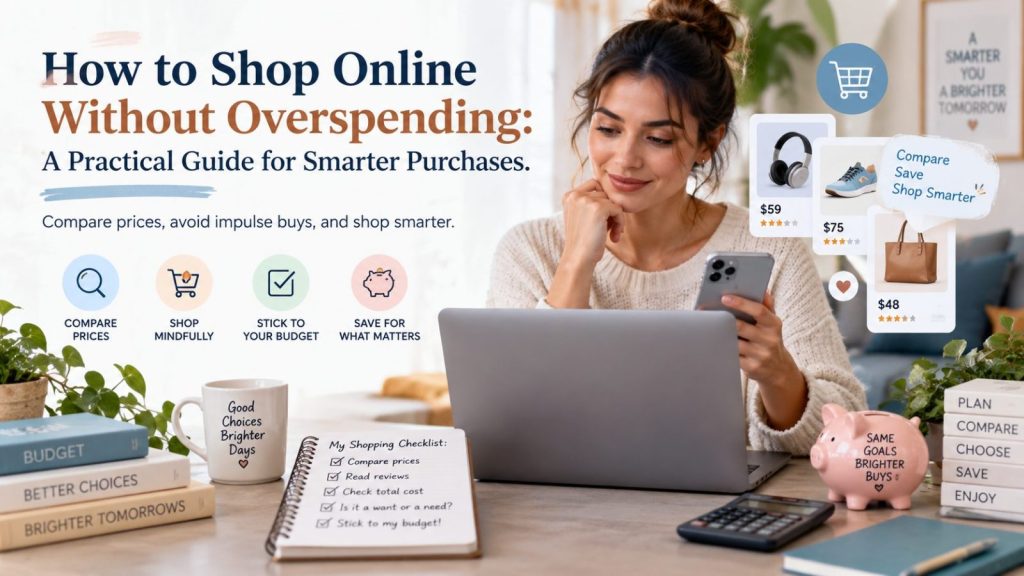
Online shopping has made buying almost anything incredibly convenient.
You can compare dozens of products, read customer reviews, check prices, and place an order without leaving home.
But that convenience comes with a downside.
Retailers are very good at encouraging quick decisions. Flash sales, countdown timers, low-stock messages, limited-time discounts, free-shipping thresholds, and personalized recommendations can all make you feel like you need to buy something immediately.
Sometimes a promotion really is worth taking advantage of.
Other times, the smartest decision is simply not to buy.
The goal of smart shopping is not to avoid spending money completely. It is to make sure the money you do spend goes toward things that are actually useful to you.
Start With the Problem, Not the Product
A simple way to avoid unnecessary purchases is to ask yourself what problem you are trying to solve.
For example, maybe your current sneakers are worn out and you need a comfortable pair for daily walking.
That is a real need.
But if you are scrolling through social media and suddenly see a pair of sneakers marked down by 40%, the discount itself may be creating the desire to buy.
Those are two very different situations.
Before purchasing, ask:
“Was I looking for this before I saw the sale?”
If the answer is no, give yourself a little time before buying.
Many impulse purchases become much less exciting after a few hours.
Compare Similar Products Instead of Only Looking at the Discount
One of the easiest traps in online shopping is focusing on the percentage discount.
Seeing something marked down from $80 to $40 feels like saving $40.
But what matters is whether the product is actually worth $40.
Another item with similar quality might already sell for $30 without any special promotion.
That is why comparing similar products is often more useful than comparing the sale price to the original price.
Look at the materials, size, specifications, warranty, return policy, customer reviews, and total cost.
A smaller discount on a better product can sometimes be the smarter purchase.
Check the Total Cost Before You Decide
The price displayed on a product page is not always the final amount you will pay.
Shipping, taxes, service fees, optional warranties, and other charges can change the real cost significantly.
A $25 product with $10 shipping is effectively a $35 purchase.
Meanwhile, another retailer may sell the same or a similar item for $32 with free shipping.
Always check the final checkout amount before deciding that one offer is cheaper than another.
This is especially important when shopping from unfamiliar retailers or marketplaces.
Read Reviews With a Purpose
Customer reviews can be extremely useful, but reading hundreds of them is usually unnecessary.
Instead, look for patterns.
If several recent buyers mention the same issue, such as poor sizing, weak materials, damaged packaging, or a misleading product description, that is worth paying attention to.
For clothing and shoes, reviews can help answer practical questions such as whether an item runs small or large.
For furniture, cookware, electronics, and home products, reviews can reveal durability problems that are not obvious from the product page.
Try to read both positive and negative reviews.
A perfect five-star review may tell you why someone loves the product, while a two-star review may tell you whether its weaknesses matter to you.
Be Careful With “Only a Few Left” Messages
Scarcity can be useful information, but it also creates pressure.
When you believe a product might disappear, you are more likely to make a fast decision.
That does not necessarily mean the message is false. Popular products really can sell out.
The point is to separate urgency from necessity.
If you genuinely need the product, have compared it with alternatives, and are comfortable with the price, buying now may make sense.
If you were not planning to buy the item at all, fear of missing out is usually not a good reason to spend money.
Use a Short Waiting Period for Non-Essential Purchases
For things you do not urgently need, try giving yourself a waiting period.
It can be as short as 24 hours.
Add the product to your cart or save it to a wishlist, then leave the site.
If you still want it the next day and it fits your budget, reconsider it.
This simple habit can reduce impulse purchases dramatically because it separates the excitement of discovering something from the actual decision to spend money.
You may be surprised by how many items you completely forget about.
Think About Cost Per Use
A cheap product is not always economical.
Imagine buying a $20 pair of shoes that becomes uncomfortable after five uses.
That is $4 per use.
Now imagine spending $70 on a pair that you wear 100 times.
That is only $0.70 per use.
The same idea applies to cookware, furniture, bags, clothing, tools, and many other products.
Instead of asking only:
“How cheap is this?”
Ask:
“How much use am I likely to get from it?”
That question often leads to better purchasing decisions.
Don’t Chase Free Shipping
Free shipping is attractive because paying for delivery can feel like wasted money.
But many retailers require you to spend a minimum amount to qualify.
If you add a $15 item you do not need just to avoid a $6 shipping charge, you have not saved money.
You spent an additional $9.
Sometimes paying a small shipping fee is actually the cheaper option.
Always compare the final total rather than focusing on whether shipping is technically free.
Keep a Simple Shopping List
A shopping list is not only useful for groceries.
It can also help with online shopping.
Keep a note on your phone with products you expect to need in the coming weeks or months.
Maybe you know you will need new running shoes, storage containers, a winter jacket, or a birthday gift.
When sales appear, you can check them against your list.
This lets you take advantage of discounts without letting discounts decide what you buy.
Separate “Good Price” From “Good Purchase”
A product can have a great price and still be a bad purchase for you.
That distinction is important.
A $200 appliance discounted to $80 sounds impressive.
But if you have no use for that appliance, you are not saving $120.
You are spending $80.
Smart shopping means evaluating both the quality of the deal and whether the product belongs in your life.
The best purchase is not always the item with the biggest markdown.
Use Shopping Communities Carefully
Deal groups and shopping communities can be useful sources of information.
Members often share price drops, clearance finds, product experiences, and deals that other shoppers may have missed.
But seeing dozens of bargains every day can also create the feeling that there is always something you should buy.
Use deal communities as discovery tools rather than automatic buying signals.
When you see something interesting, pause and evaluate it the same way you would any other purchase.
Check the price.
Read reviews.
Compare alternatives.
Decide whether you actually need it.
Create a Monthly “Fun Shopping” Budget
Not every purchase needs to be essential.
Buying something simply because you enjoy it is perfectly reasonable if it fits your finances.
One way to shop without guilt or overspending is to set aside a small monthly amount specifically for non-essential purchases.
Once that amount is gone, wait until the next month.
This gives you freedom to enjoy deals while still maintaining control over your spending.
It also forces you to choose between multiple tempting purchases instead of buying everything that catches your attention.
Final Thoughts
The internet gives shoppers more options than ever before.
That can help you save money, but only if you remain in control of the decision.
A smart shopper does not automatically avoid sales or discounts.
Instead, they slow down long enough to ask whether the product is useful, whether the price is competitive, and whether the purchase fits their budget.
Sometimes the best deal is buying something useful at a great price.
And sometimes the best deal is closing the browser without buying anything at all.








Responses