
How To Build A Simple Ai Chatbot: 9 Smart Steps to Make It Easier

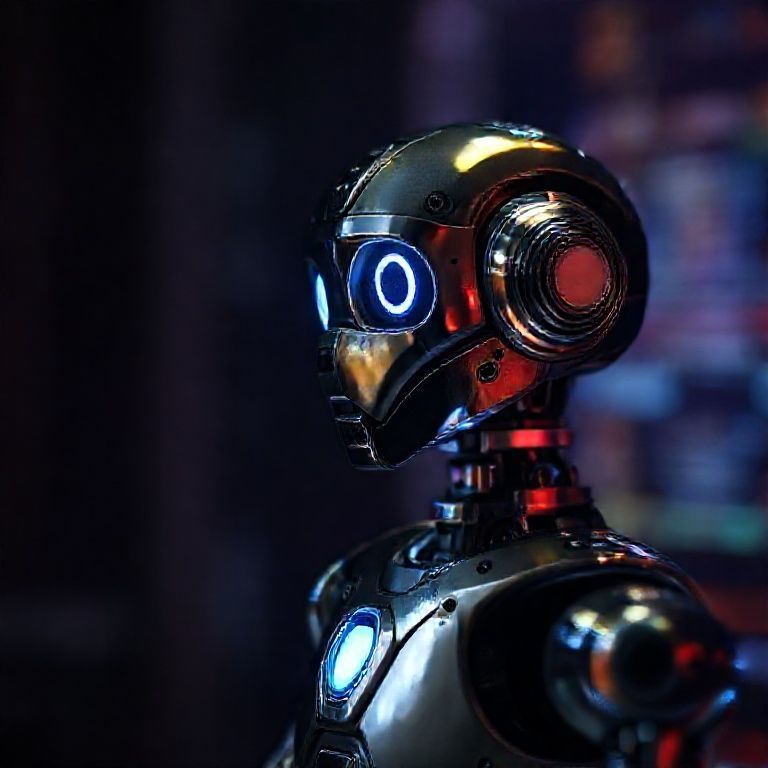
how to build a simple ai chatbot

Introduction
In today’s digital age, artificial intelligence has become an integral part of our daily lives, transforming the way we interact with technology and each other. One of the most exciting applications of AI is natural language processing (NLP), which enables computers to understand and generate human-like language. Building a simple AI chatbot is a fantastic way to explore this concept, allowing you to create a conversational interface that can engage with users in a more personalized and interactive manner.
As we delve into the world of building a simple AI chatbot, it’s essential to understand that it’s not as complicated as it may seem. With the right tools and a bit of programming knowledge, anyone can create a basic chatbot that can respond to user queries, provide information, or even entertain users with witty banter. In this article, we’ll take you through a step-by-step guide on how to build a simple AI chatbot, covering everything from setting up the necessary tools and infrastructure to writing the code that brings your chatbot to life.
Whether you’re a seasoned developer or a curious beginner, building a simple AI chatbot is an excellent way to gain hands-on experience with NLP and machine learning concepts. By following our tutorial, you’ll learn how to create a basic chatbot that can understand and respond to user input, giving you a solid foundation for more complex projects in the future. So, let’s get started on this exciting journey into the world of AI chatbots!

Advanced Techniques for Building a Simple AI Chatbot
Using Deep Learning Models
To improve the accuracy of our chatbot, we can use deep learning models like convolutional neural networks (CNNs) or recurrent neural networks (RNNs).
“`python
From Keras.models Import Sequential
from keras.layers import Embedding, Dense, Flatten
from keras.preprocessing.text import Tokenizer
from keras.preprocessing.sequence import pad_sequences
# Define a function to create and train the deep learning model
def create_deep_learning_model():
# Create a tokenizer object
tokenizer = Tokenizer(num_words=10000)
# Fit the tokenizer to our training data
tokenizer.fit_on_texts(training_data[‘input’])
# Convert our input text into sequences of numbers
input_sequences = tokenizer.texts_to_sequences(training_data[‘input’])
# Pad the sequences to have the same length
padded_input = pad_sequences(input_sequences, maxlen=100)
# Create a deep learning model
model = Sequential()
model.add(Embedding(10000, 128))
model.add(Flatten())
model.add(Dense(64, activation=’relu’))
model.add(Dense(len(training_data[‘output’]), activation=’softmax’))
# Compile the model
model.compile(loss=’categorical_crossentropy’, optimizer=’adam’)
# Train the model on our training data
model.fit(padded_input, training_data[‘output’], epochs=10)
return model
# Define a function to use the deep learning model for prediction
def predict_deep_learning_model(model, input_text):
# Convert the input text into sequences of numbers
input_sequences = tokenizer.texts_to_sequences([input_text])
# Pad the sequences to have the same length
padded_input = pad_sequences(input_sequences, maxlen=100)
# Make a prediction using the model
output = model.predict(padded_input)
return output
# Test the deep learning model
model = create_deep_learning_model()
input_text = “Hello, how are you?”
output = predict_deep_learning_model(model, input_text)
print(output)
“`
Using Natural Language Processing Techniques
We can use various natural language processing (NLP) techniques to improve our chatbot’s understanding of human language.
“`python
from nltk.stem import WordNetLemmatizer
from nltk.corpus import stopwords
from sklearn.feature_extraction.text import TfidfVectorizer
# Define a function to lemmatize words in the input text
def lemmatize_words(input_text):
# Initialize the lemmatizer object
lemmatizer = WordNetLemmatizer()
# Tokenize the input text into individual words
tokens = word_tokenize(input_text)
# Lemmatize each token and join them back together
lemmatized_text = ‘ ‘.join([lemmatizer.lemmatize(token) for token in tokens])
return lemmatized_text
# Define a function to remove stopwords from the input text
def remove_stopwords(input_text):
# Initialize the set of stopwords
stop_words = set(stopwords.words(‘english’))
# Tokenize the input text into individual words
tokens = word_tokenize(input_text)
# Filter out stopwords and join the remaining tokens back together
filtered_text = ‘ ‘.join([token for token in tokens if token.lower() not in stop_words])
return filtered_text
# Define a function to vectorize the input text using TF-IDF
def vectorize_input(input_text):
# Initialize the TF-IDF vectorizer object
vectorizer = TfidfVectorizer()
# Fit and transform the input text into a vector
vector = vectorizer.fit_transform([input_text])
return vector
# Test the NLP techniques
input_text = “Hello, how are you?”
lemmatized_text = lemmatize_words(input_text)
stopwords_removed_text = remove_stopwords(lemmatized_text)
tfidf_vector = vectorize_input(stopwords_removed_text)
print(tfidf_vector)
“`
Using Machine Learning Algorithms
We can use various machine learning algorithms to improve our chatbot’s performance.
“`python
from sklearn.ensemble import RandomForestClassifier
from sklearn.model_selection import train_test_split
from sklearn.metrics import accuracy_score
# Define

Conclusion
In conclusion, building a simple AI chatbot is a feasible project that can be achieved with the right tools and knowledge. By following these steps and using a natural language processing (NLP) library such as NLTK or spaCy, you can create a basic chatbot that can understand and respond to user input.
To get started, we recommend exploring online resources such as tutorials, documentation, and open-source projects that provide step-by-step guides on building AI chatbots. You can also experiment with popular platforms like Dialogflow, Botpress, or Microsoft Bot Framework, which offer visual interfaces and pre-built templates to help you build and deploy your chatbot.
Take the first step today by choosing a programming language and NLP library of your choice, and start building your simple AI chatbot. With dedication and persistence, you can create a functional chatbot that can understand and respond to user queries, opening up new possibilities for automation, customer service, and more.
Here are five concise FAQ pairs for “How to Build a Simple AI Chatbot”:
Q: What programming language should I use to build a chatbot?
A: Python is a popular choice for building chatbots due to its simplicity, flexibility, and extensive libraries.
Q: Do I need any prior experience with machine learning or natural language processing (NLP)?
A: While not necessary, having some basic knowledge of NLP concepts can be helpful. You can start with online tutorials and resources that provide an introduction to these topics.
Q: What tools do I need to build a chatbot?
A: You’ll need a programming environment (e.g., Python IDE), a text-to-speech engine (for voice output), and a database or API for storing user data and interactions.
Q: Can I use pre-built chatbot platforms like Dialogflow or Botpress?
A: Yes, these platforms offer drag-and-drop interfaces and pre-built templates that can save time and effort. However, they may limit customization options.
Q: How do I train my chatbot to understand natural language inputs?
Here’s a short quiz for building a simple AI chatbot:
Question 1: What is the primary function of a Natural Language Processing (NLP) library in a chatbot?
A) To handle user input and generate responses
B) To process and understand human language
C) To connect the chatbot to a database
Show answer
Answer: B) To process and understand human language
Question 2: Which programming language is commonly used for building chatbots due to its simplicity and ease of use?
A) Python
B) Java
C) JavaScript
Show answer
Answer: A) Python
Question 3: What is the purpose of a machine learning algorithm in a chatbot’s response generation?
A) To learn from user interactions and improve responses over time
B) To generate random responses to user input
C) To connect the chatbot to external APIs
Show answer
Answer: A) To learn from user interactions and improve responses over time
Question 4: What is the primary component of a simple chatbot’s architecture?
A) A neural network for complex decision-making
B) A basic state machine for handling user input
C) A natural language processing library for text analysis
Show answer
Answer: B) A basic state machine for handling user input







Interesting perspective. This is incredibly well-researched and informative.
Thank you for the comprehensive breakdown.
I enjoyed reading this. Thanks for sharing your expertise on this topic.
Great article! This is so useful! Bookmarking for future reference.