
Build A Home Studio For Beginners: Red Flags to Ditch for Good

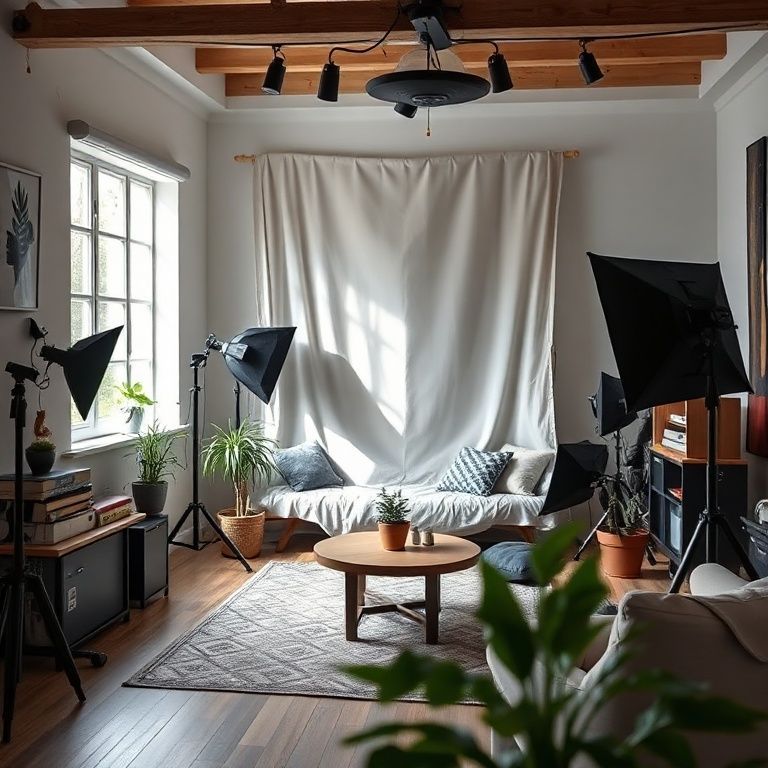
build a home studio for beginners

Introduction
For aspiring musicians and producers, turning their passion into a career can be a daunting task. One of the most significant hurdles is creating high-quality music without breaking the bank or sacrificing space. Building a home studio from scratch may seem like an insurmountable challenge, but it’s not as complicated as you think. With some basic knowledge and planning, anyone can create a functional and efficient home studio that will help them produce professional-sounding music.
As a beginner, it’s essential to understand that building a home studio is not just about buying expensive equipment or renting a large space. It’s about creating an environment that fosters creativity, productivity, and sound quality. In this article, we’ll guide you through the process of setting up a home studio on a budget, from choosing the right equipment to designing a functional workspace.
Whether you’re a singer-songwriter, producer, or DJ, having a reliable home studio is crucial for taking your music career to the next level. With the right tools and knowledge, you can produce high-quality music that will make you stand out in the industry. In this article, we’ll provide you with a step-by-step guide on how to build a home studio for beginners, covering everything from the basics of audio recording to advanced techniques for mixing and mastering your tracks.

Building a Home Studio for Beginners: a Step-by-Step Guide
Planning Your Space
Before you start building your home studio, it’s essential to plan the space. Consider the following factors:
Determining Your Budget
Identify how much you are willing to spend on setting up your home studio. This will help you prioritize your spending and make decisions about what equipment to purchase. For example, if you’re looking for a budget-friendly option, consider investing in a used or refurbished piece of gear.
Assessing Your Space
Take stock of the available space in your home, including the size, lighting, and ventilation conditions. Choose a room that is quiet, well-ventilated, and has minimal distractions. Consider factors like noise levels, temperature, and humidity when selecting a room for your studio.
Choosing Your Equipment
Selecting Recording Gear
For beginners, it’s best to start with a digital audio workstation (DAW) like Ableton Live or FL Studio. These programs are user-friendly and offer a wide range of features for recording and producing music. Consider factors like compatibility, ease of use, and customer support when choosing your DAW.
Acquiring Microphones
For beginners, it’s best to start with a pair of dynamic microphones like the Shure SM57 or Sennheiser MD421. These microphones are durable, versatile, and affordable. Consider factors like frequency response, sensitivity, and polar pattern when selecting your microphones.
Choosing Monitors
Accurate monitoring is crucial for producing high-quality music. Choose a pair of studio monitors that match the frequency response of your DAW’s playback system. For example, if you’re using Ableton Live, look for monitors with a flat frequency response (e.g., 20 Hz – 20 kHz).
Selecting Acoustic Treatment
To achieve a balanced sound in your home studio, you’ll need to create an acoustic treatment plan. This involves adding materials like absorption panels and diffusers to control echo and reverberation. Consider factors like room size, shape, and layout when selecting the right treatment for your space.
Setting Up Your Space
Creating an Acoustic Treatment Plan
To achieve a balanced sound in your home studio, you’ll need to create an acoustic treatment plan. This involves adding materials like absorption panels and diffusers to control echo and reverberation. Consider factors like room size, shape, and layout when selecting the right treatment for your space.
Installing Lighting and Ventilation
Proper lighting and ventilation are essential for maintaining a healthy working environment. Install LED lighting or natural light sources, and ensure good airflow by opening windows or installing a fan. Consider using a humidifier to maintain a stable humidity level in your studio (e.g., 40-60%).
Recording and Producing Music
Setting Up Your DAW
Once you have your equipment and space set up, it’s time to start recording music. Follow the tutorials on your chosen DAW to get started. For example, Ableton Live offers an extensive library of tutorials on its official website.
Recording and Editing Audio Tracks
Use your microphones to record individual tracks, then edit them using your DAW. Learn basic editing techniques like EQing and compression. Consider using a noise gate or compressor to control dynamic range and maintain a consistent sound.
Mixing and Mastering Your Music
By following these steps, you’ll be well on your way to building a home studio for beginners. Remember to stay patient, practice regularly, and have fun creating music!
Additional Tips
Invest in a Pop Filter
A pop filter can help reduce plosive sounds (e.g., “p” and “t”) when recording vocals.
Use Reference Tracks
Listen to reference tracks from your favorite artists or genres to develop your ear and improve your mixing skills.
Join Online Communities
Connect with other musicians and producers online through forums, social media groups, or Reddit. Share your work, get feedback, and learn from others in the music production community.
Build a Home Studio for Beginners
Step 1: Plan Your Space
Before you start building your home studio, it’s essential to plan your space. Consider the following factors:
Choose a Quiet Location
Identify a quiet location in your home that is away from noise sources such as family members, pets, and neighbors. This will help ensure that you can focus on your music production without distractions.
Assess Your Lighting Needs
Determine how much light you need for your studio. If you plan to work on audio editing or mixing, you may not need a lot of natural light. However, if you’re working on music composition or recording, you’ll want plenty of lighting.
Consider Ventilation and Temperature Control
Decide on Your Studio Layout
Think about how you want to layout your studio. Will you have a dedicated workspace for your computer and audio interface, or will you set up a more flexible workstation?
Step 2: Choose the Right Equipment
As a beginner, you don’t need to break the bank on expensive equipment. Start with the basics:
Audio Interface
An audio interface connects your microphones and instruments to your computer. Look for an interface that has multiple inputs and outputs, as well as good sound quality.
Monitor Speakers
Good monitor speakers are essential for accurate mixing and mastering. Look for speakers that have flat frequency response and are designed specifically for music production.
Studio Headphones
Studio headphones are useful for tracking, mixing, and mastering. Look for headphones that have good isolation and accuracy.
Microphone
If you plan to record vocals or instruments, you’ll need a microphone. Start with a basic condenser mic or dynamic mic.
Step 3: Set Up Your Computer
Your computer is the heart of your home studio. Make sure it’s set up for music production:
Operating System
Choose an operating system that’s compatible with your audio software. Most music producers use Mac OS X or Windows.
Audio Software
Select a digital audio workstation (DAW) that meets your needs. Popular options include Ableton Live, Logic Pro X, and FL Studio.
Plug-Ins and Virtual Instruments
Most DAWs come with built-in plug-ins and virtual instruments. However, you may also want to invest in additional plugins and virtual instruments to enhance your sound.
Step 4: Organize Your Studio
Once you have your equipment and software set up, it’s time to organize your studio:
Set Up Your Workspace
Arrange your equipment in a way that makes sense for your workflow. Consider investing in a desk or workstation to keep your gear organized.
Label Your Cables
Labeling your cables can help you stay organized and avoid mistakes. Use cable ties or zip ties to keep your cables tidy.
Step 5: Test and Refine
Before you start producing music, make sure your studio is set up and working properly:
Test Your Equipment
Plug in Your Gear and Test It Out. Make Sure Everything Is Working as Expected.
Adjust Your Settings
Adjust your settings for optimal performance. This may include tweaking your EQ or compression settings.
By following these steps, you can build a home studio that meets your needs and helps you produce high-quality music.


Conclusion
In conclusion, building a home studio as a beginner can seem like a daunting task, but it’s an exciting opportunity to take control of your music production journey. With a little planning and creativity, you can create a space that inspires productivity and fosters creativity.
Don’t be discouraged by the thought of setting up a home studio – start small, research, and explore different options. Consider what equipment is essential for your needs, and don’t feel pressured to buy everything at once. Begin with the basics and gradually add more gear as you become more comfortable with your setup.
Join online communities, forums, and social media groups dedicated to music production and home studios, where you can connect with other beginners and learn from their experiences. Share your own projects and ask for feedback – it’s a great way to get started on your music-making journey.
Take the first step today by researching home studio setup options, reading tutorials, or watching YouTube videos. You’ll be amazed at how quickly you can create a functional space that sparks creativity and helps you produce amazing music.
Here are five concise FAQ pairs for “Build a Home Studio for Beginners”:
Q: What is the first step in building a home studio?
A: The first step is to determine your budget and decide on the type of equipment you need, such as microphones, speakers, and recording software.
Q: Do I really need a professional acoustics treatment in my home studio?
A: While not necessary, investing in basic acoustic treatment can greatly improve the sound quality and reduce echo and reverberation in your studio.
Q: How do I choose the right recording software for my home studio?
A: Consider factors such as operating system compatibility, user interface, and features you need (e.g., multitrack recording, effects processing) when selecting a digital audio workstation (DAW).
Q: What is the best way to set up my home studio’s acoustics?
A: Start by placing your recording space in an area with minimal echo and reverberation, then add acoustic treatment such as panels, bass traps, or diffusers to control sound reflections.
Q: Do I need to invest in a lot of expensive equipment to start building a home studio?
Here’s a short quiz for “Build a Home Studio for Beginners”:
Question 1: What is the primary purpose of soundproofing in a home studio?
A) To create a comfortable workspace
B) To reduce echo and improve sound quality
C) To make the studio look more modern
Show answer
Answer: B) To reduce echo and improve sound quality
Question 2: Which type of microphone is best suited for recording vocals in a home studio?
A) Dynamic microphone
B) Condenser microphone
C) Ribbon microphone
Show answer
Answer: B) Condenser microphone
Question 3: What is the recommended placement for a subwoofer in a home studio?
A) On the same side as the main speakers
B) In the center of the room, opposite the main speakers
C) Against a wall, near the corner
Show answer
Answer: C) Against a wall, near the corner
Question 4: Which software is commonly used for recording and editing audio in a home studio?
A) Adobe Photoshop
B) Ableton Live
C) Logic Pro X
Show answer
Answer: B) Ableton Live

Thank you for this detailed explanation. Much appreciated! Great post!
Never considered this angle before. Mind-blowing! 💯
You have a gift for explaining things clearly.
Your insights are always spot-on. Looking forward to more content like this.
This opened my eyes to a new way of thinking.